Source: https://maps.vietmap.vn/docs/sdk-mobile/sdk-ios/map/
# VIETMAP Maps SDK for iOS
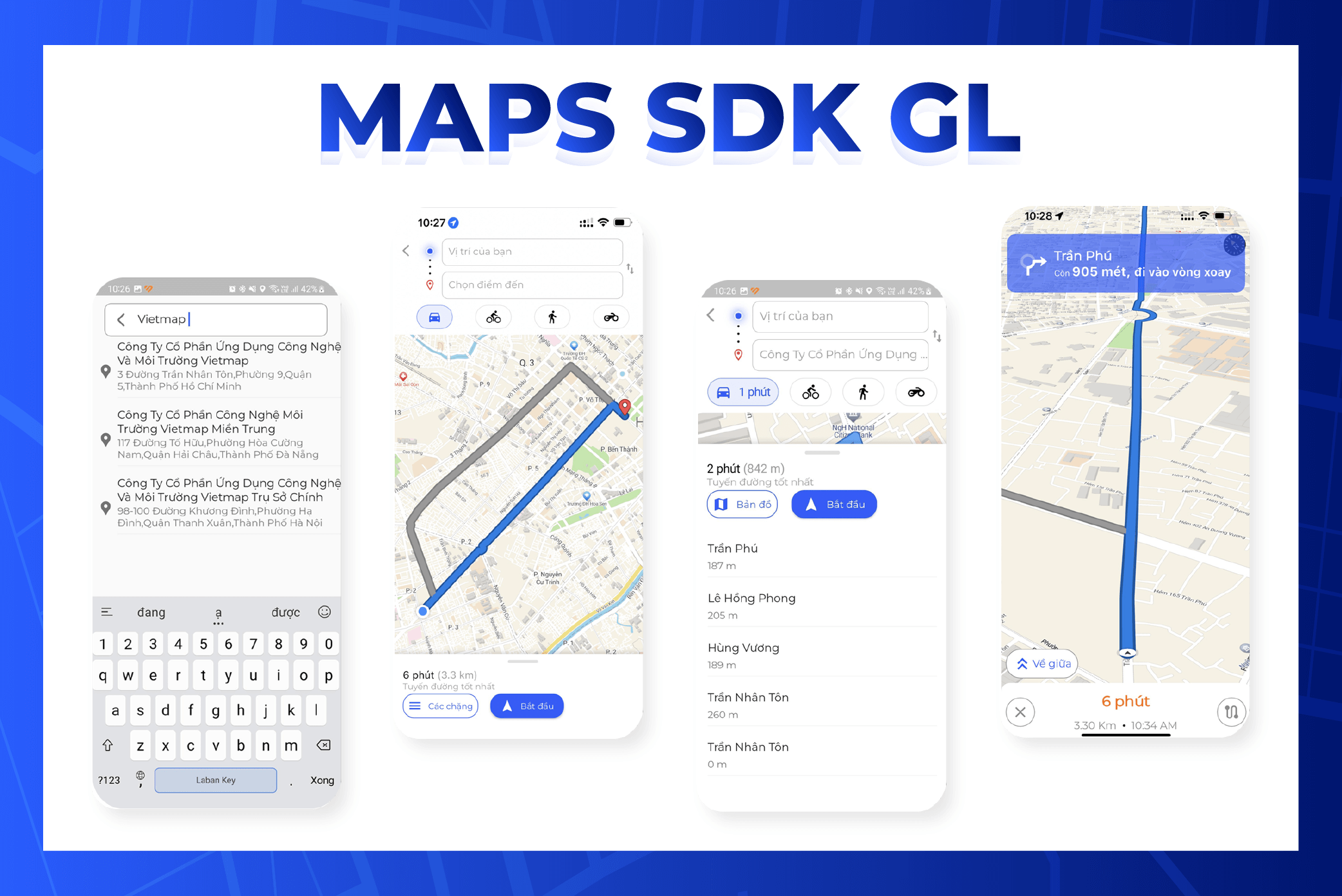
## Installation guide
## Table of Contents
1. [Create Navigation project with Xcode](#1-create-navigation-project-with-xcode)
2. [Import Library](#2-import-library)
3. [Events](#3-events)
4. [Build Project](#4-build-project)
## Install iOS SDK Map
### 1. Create Navigation project with Xcode
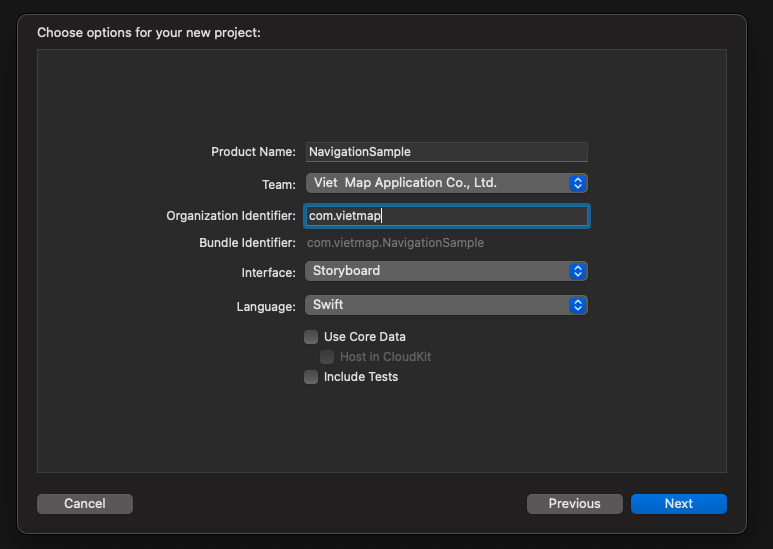
Create a project with Swift and Storyboard. Open Xcode, select File > New > Project.
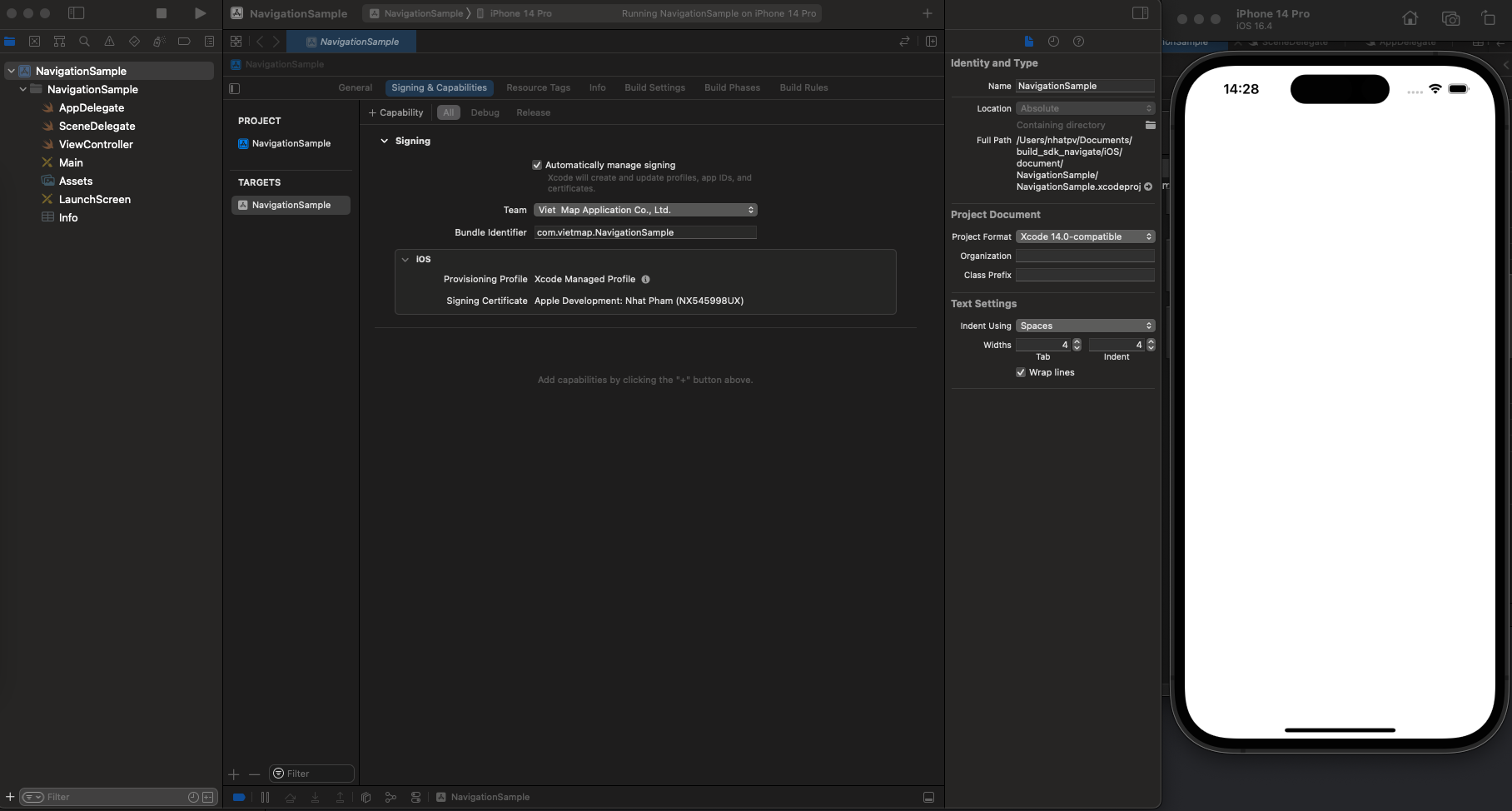
Ensure the project runs successfully. If successful, you will see the layout as shown below.
### 2. Import Library
#### Environment Settings
Install Homebrew
Check brew
```
$ brew --version
```
If Homebrew is not installed, you will see:
```
$ zsh: command not found: brew
```
If Homebrew is not installed, use the following command:
```
$ /bin/bash -c "$(curl -fsSL https://raw.githubusercontent.com/Homebrew/install/HEAD/install.sh)"
```
Install pods
```
$ brew install cocoapods
```
**Import libraries with Podfile**
1. Go to Terminal and switch to your local project:
```
cd NavigationSample
```
2. Once you are inside the project folder, type the command below to create/initialize your POD files:
```
pod init
```
3. Open the Podfile and write with code below:
```
pod 'VietMap', '~> 1.2.2'
```
4. Then install library
```
pod install --repo-update
```
5. Double click on the Xcode workspace to open the project
### 3. Events.
- `regionIsChangingWith`: Method called when the displayed region of the map view is changing.
- `didChange`: Method called when the user tracking mode on the map view changes.
- `mapViewDidFinishLoadingMap`: Method called when the map on the map view has finished loading and displaying.
- `mapViewDidStopLocatingUser`: Method called when the MGLMapView stops locating the user's position.
- `mapViewWillStartLoadingMap`: Method called when the MGLMapView begins loading map data.
- `mapViewWillStartLocatingUser`: Method called when the MGLMapView starts locating the user's position.
- `mapViewWillStartRenderingMap`: Method called when the MGLMapView starts rendering the map.
- `mapViewWillStartRenderingFrame`: Method called when the MGLMapView starts rendering a frame of the map.
- `didFinishLoading`: Method called when the MGLMapView finishes loading data and interface for the map.
- `didSelect`: Method called when an annotation on the map is selected.
- `didDeselect`: Method called when an annotation on the map is no longer selected.
- `didSingleTapAt`: Method called when the user performs a single tap on the map.
- `regionDidChangeAnimated`: Method called when the displayed region of the map changes, including when the user moves, zooms, or rotates the map.
- `regionWillChangeAnimated`: Method called before the displayed region of the map is about to change.
- `mapViewDidFailLoadingMap`: Method called when loading the map fails with a specific error.
- `didUpdate: MGLUserLocation`: Method called when the user's location information is updated on the map.
- `mapViewDidFinishRenderingMap`: Method called when the map rendering process is completed.
- `mapViewDidBecomeIdle`: Method called when the map has finished its activities and becomes idle.
- `didFailToLocateUserWithError`: Method called when locating the user on the map encounters an error.
- `tapOnCalloutFor`: Method called when the user taps on the callout of an annotation on the map.
- `mapViewDidFinishRenderingFrame`: Method called after a frame of the map has been finished rendering on the screen.
- `shapeAnnotationIsEnabled`: This method allows you to control the activation of shape annotations on the map. Returns true or false to specify whether the shape annotation is enabled.
- `didAdd: MGLAnnotationView`: Method called after new MGLAnnotationViews are added.
- `didSelect: MGLAnnotationView`: Method called when an MGLAnnotationView on the map is selected.
- `didDeselect: MGLAnnotationView`: Method called when an MGLAnnotationView on the map is no longer selected.
- `alphaForShapeAnnotation`: This method allows you to specify the alpha value (opacity) for an MGLShape on the map. The alpha value is a number from 0.0 to 1.0, with 0.0 being completely transparent and 1.0 being opaque.
- `viewFor: MGLAnnotation`: This method is used to provide a custom MGLAnnotationView for a specific MGLAnnotation on the map.
- `imageFor: MGLAnnotation`: This method is used to provide a custom MGLAnnotationImage for a specific MGLAnnotation on the map.
- `annotationCanShowCallout`: This method is used to determine whether an MGLAnnotation can show a callout. To determine whether a specific MGLAnnotation can show a callout, return true or false.
- `calloutViewFor`: This method is used to create and customize the callout view interface for a specific MGLAnnotation.
- `strokeColorForShapeAnnotation`: This method is used to provide the stroke color for a specific MGLShape (such as MGLPolyline or MGLPolygon) on the map.
- `fillColorForPolygonAnnotation`: This method is used to provide the fill color for a specific MGLPolygon on the map.
- `leftCalloutAccessoryViewFor`: This method is used to provide a UIView as the left supplementary element of the callout for a specific MGLAnnotation.
- `lineWidthForPolylineAnnotation`: This method is used to provide the line width of the polyline for a specific MGLPolyline.
- `rightCalloutAccessoryViewFor`: This method is used to provide a UIView as the right supplementary interface of the callout for a specific MGLAnnotation.
- `calloutAccessoryControlTapped`: This method is called when the user taps on the supplementary interface elements (accessory control) in the callout for a specific MGLAnnotation.
- `shouldChangeFrom`: This method is called when the camera state of the map is about to change, allowing you to check and decide whether the change should be made.
- `mapViewUserLocationAnchorPoint`: This method allows you to determine the anchor point of the user location icon on the map.
- `didFailToLoadImage`: This method is called when an image with the provided name cannot be loaded.
- `shouldRemoveStyleImage`: This method is called when an image in the style is being used and there is a request to remove it.
- `didChangeLocationManagerAuthorization`: This method is called when the user's location access permission changes in the app.
- `styleForDefaultUserLocationAnnotationView`: This method is used to customize the interface of the default user location annotation on the map.
### 4. Build Project.
Requires device location access permission.
```
NSLocationAlwaysAndWhenInUseUsageDescription
Get user location
NSLocationAlwaysUsageDescription
Get user location
NSLocationWhenInUseUsageDescription
Get user location
UIBackgroundModes
audio
location
```
#### Sample Code
```swift
import UIKit
import VietMap
class ViewController: UIViewController {
var mapView: MGLMapView!
var coordinates: [CLLocationCoordinate2D] = []
override func viewDidAppear(_ animated: Bool) {
super.viewDidAppear(animated)
if #available(iOS 10.0, *) {
UNUserNotificationCenter.current().requestAuthorization(options: [.badge, .alert, .sound]) { _,_ in
DispatchQueue.main.async {
CLLocationManager().requestWhenInUseAuthorization()
}
}
}
}
override func viewDidLoad() {
super.viewDidLoad()
startMapView()
drawPolygon()
}
func startMapView() {
mapView = MGLMapView(frame: view.bounds, styleURL: URL(string: "https://maps.vietmap.vn/api/maps/light/styles.json?apikey=YOUR_API_KEY_HERE"))
mapView.autoresizingMask = [.flexibleWidth, .flexibleHeight]
mapView.delegate = self
mapView.userTrackingMode = .follow
let singleTap = UILongPressGestureRecognizer(target: self, action: #selector(didLongPress(tap:)))
mapView.gestureRecognizers?.filter({ $0 is UILongPressGestureRecognizer }).forEach(singleTap.require(toFail:))
mapView.addGestureRecognizer(singleTap)
view.addSubview(mapView)
}
func drawPolyline() {
let polyline = MGLPolyline(coordinates: coordinates, count: UInt(coordinates.count))
mapView.addAnnotation(polyline)
}
func drawPolygon() {
let coordinates = [
CLLocationCoordinate2D(latitude: 10.745863, longitude: 106.655122),
CLLocationCoordinate2D(latitude: 10.753557, longitude: 106.649735),
CLLocationCoordinate2D(latitude: 10.765662, longitude: 106.681285),
CLLocationCoordinate2D(latitude: 10.750961, longitude: 106.683948)
]
let polygon = MGLPolygon(coordinates: coordinates, count: UInt(coordinates.count))
mapView.addAnnotation(polygon)
}
// MARK: Gesture Recognizer Handlers
@objc func didLongPress(tap: UILongPressGestureRecognizer) {
guard let mapView = mapView else { return }
if (coordinates.isEmpty) {
coordinates.append((mapView.userLocation?.location?.coordinate)!)
}
let point = mapView.convert(tap.location(in: mapView), toCoordinateFrom: mapView)
let annotation = MGLPointAnnotation()
annotation.coordinate = point
annotation.title = "Point Here"
coordinates.append(point)
mapView.addAnnotation(annotation)
drawPolyline()
}
}
extension ViewController: MGLMapViewDelegate {
func mapView(_ mapView: MGLMapView, imageFor annotation: MGLAnnotation) -> MGLAnnotationImage? {
let image = UIImage(systemName: "car")!
image.withTintColor(UIColor.red)
let annotationImage = MGLAnnotationImage(image: image, reuseIdentifier: "customAnnotation")
return annotationImage
}
func mapView(_ mapView: MGLMapView, annotationCanShowCallout annotation: MGLAnnotation) -> Bool {
return true
}
func mapView(_ mapView: MGLMapView, leftCalloutAccessoryViewFor annotation: MGLAnnotation) -> UIView? {
let imageView = UIImageView(image: UIImage(named: "leftAccessoryImage"))
return imageView
}
func mapView(_ mapView: MGLMapView, rightCalloutAccessoryViewFor annotation: MGLAnnotation) -> UIView? {
let button = UIButton(type: .detailDisclosure)
return button
}
func mapView(_ mapView: MGLMapView, fillColorForPolygonAnnotation annotation: MGLPolygon) -> UIColor {
return UIColor.red.withAlphaComponent(0.5)
}
}
```
To use your own colors and icons, create a map in [Map Editor](https://tools.vietmap.vn/map-editor/) and replace the style URL above with its style link.