Source: https://maps.vietmap.vn/docs/vi/sdk-mobile/sdk-ios/map/
# SDK bản đồ VIETMAP cho iOS
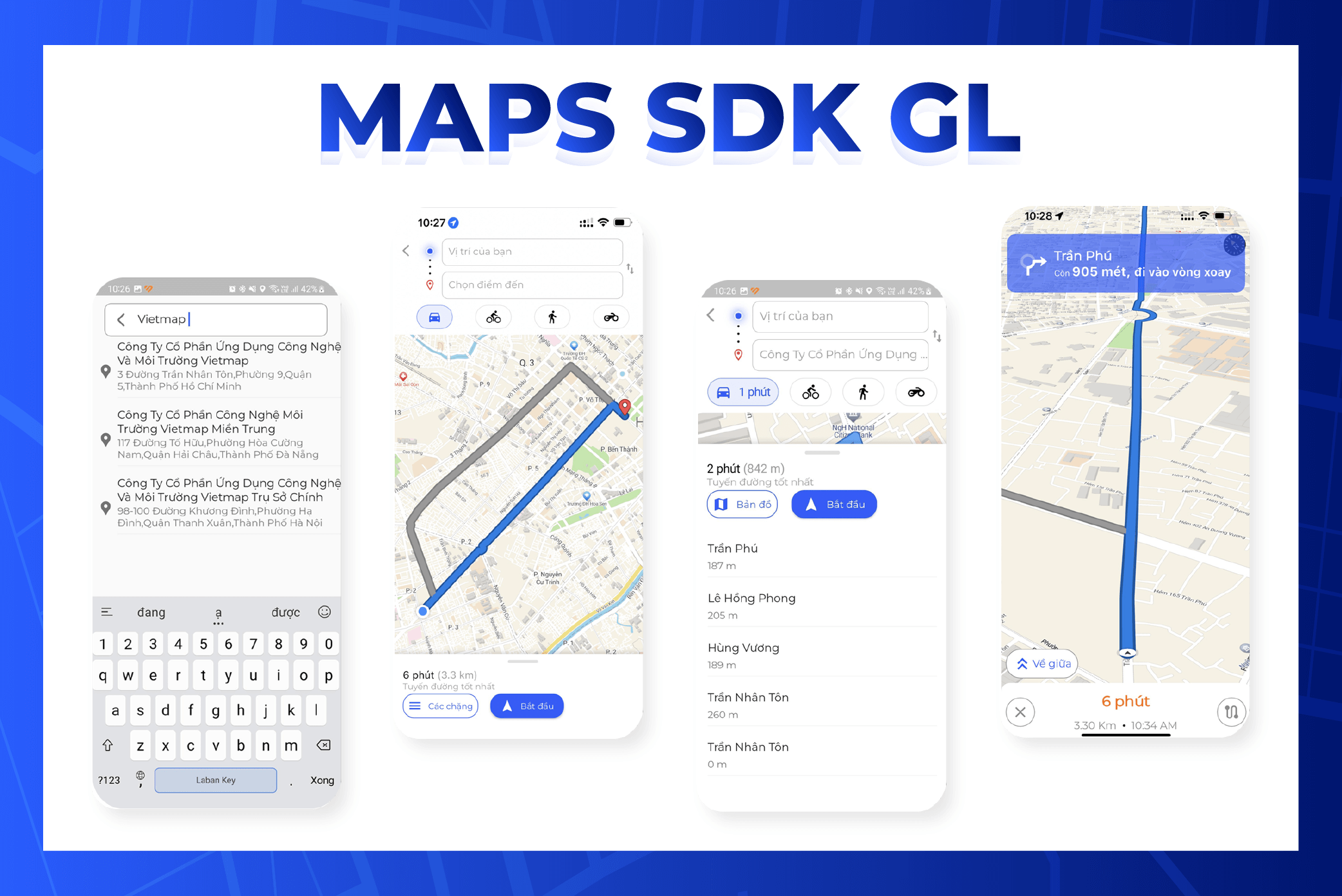
## Hướng dẫn cài đặt
## Mục lục
1. [Tạo dự án bằng Xcode](#1-tao-du-an-bang-xcode)
2. [Thêm thư viện](#2-them-thu-vien)
3. [Sự kiện](#3-su-kien)
4. [Build dự án](#4-build-du-an)
## Cài SDK bản đồ iOS
### 1. Tạo dự án bằng Xcode
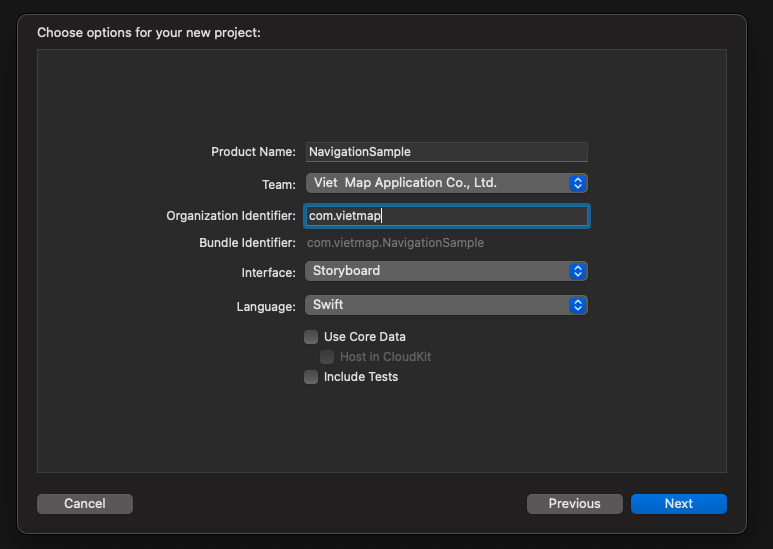
Tạo dự án dùng Swift và Storyboard: mở Xcode, chọn File > New > Project.
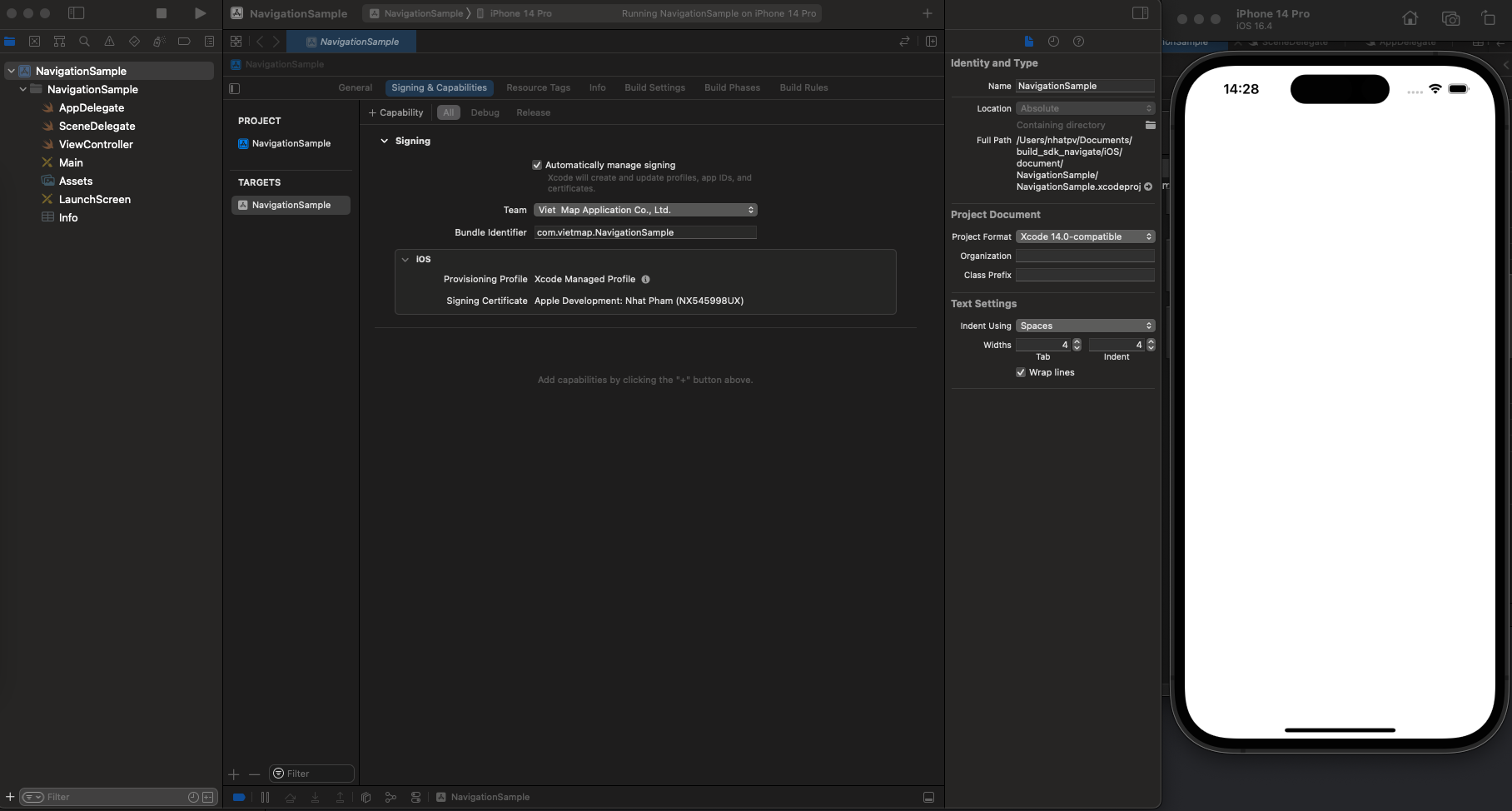
Chạy thử dự án. Nếu chạy được, bạn sẽ thấy giao diện như hình dưới.
### 2. Thêm thư viện
#### Chuẩn bị môi trường
Cài Homebrew
Kiểm tra brew
```
$ brew --version
```
Nếu chưa cài Homebrew, bạn sẽ thấy:
```
$ zsh: command not found: brew
```
Chưa cài Homebrew thì cài bằng lệnh:
```
$ /bin/bash -c "$(curl -fsSL https://raw.githubusercontent.com/Homebrew/install/HEAD/install.sh)"
```
Cài CocoaPods
```
$ brew install cocoapods
```
**Thêm thư viện bằng Podfile**
1. Mở Terminal và chuyển vào thư mục dự án:
```
cd NavigationSample
```
2. Trong thư mục dự án, chạy lệnh sau để tạo Podfile:
```
pod init
```
3. Mở Podfile và thêm nội dung sau:
```
pod 'VietMap', '~> 1.2.2'
```
4. Cài thư viện
```
pod install --repo-update
```
5. Mở dự án bằng file `.xcworkspace` (bấm đúp)
### 3. Sự kiện
- `regionIsChangingWith`: gọi khi vùng hiển thị của bản đồ đang thay đổi.
- `didChange`: gọi khi chế độ theo dõi vị trí người dùng thay đổi.
- `mapViewDidFinishLoadingMap`: gọi khi bản đồ đã tải và hiển thị xong.
- `mapViewDidStopLocatingUser`: gọi khi MGLMapView ngừng xác định vị trí người dùng.
- `mapViewWillStartLoadingMap`: gọi khi MGLMapView bắt đầu tải dữ liệu bản đồ.
- `mapViewWillStartLocatingUser`: gọi khi MGLMapView bắt đầu xác định vị trí người dùng.
- `mapViewWillStartRenderingMap`: gọi khi MGLMapView bắt đầu vẽ bản đồ.
- `mapViewWillStartRenderingFrame`: gọi khi MGLMapView bắt đầu vẽ một khung hình.
- `didFinishLoading`: gọi khi MGLMapView tải xong dữ liệu và giao diện bản đồ.
- `didSelect`: gọi khi một annotation trên bản đồ được chọn.
- `didDeselect`: gọi khi một annotation bị bỏ chọn.
- `didSingleTapAt`: gọi khi người dùng chạm một lần lên bản đồ.
- `regionDidChangeAnimated`: gọi khi vùng hiển thị đã thay đổi, kể cả khi người dùng kéo, phóng to thu nhỏ hoặc xoay bản đồ.
- `regionWillChangeAnimated`: gọi ngay trước khi vùng hiển thị thay đổi.
- `mapViewDidFailLoadingMap`: gọi khi tải bản đồ thất bại, kèm lỗi cụ thể.
- `didUpdate: MGLUserLocation`: gọi khi vị trí người dùng trên bản đồ được cập nhật.
- `mapViewDidFinishRenderingMap`: gọi khi bản đồ đã vẽ xong.
- `mapViewDidBecomeIdle`: gọi khi bản đồ xử lý xong mọi việc và chuyển sang trạng thái nghỉ.
- `didFailToLocateUserWithError`: gọi khi xác định vị trí người dùng bị lỗi.
- `tapOnCalloutFor`: gọi khi người dùng chạm vào callout của một annotation.
- `mapViewDidFinishRenderingFrame`: gọi sau khi một khung hình của bản đồ đã vẽ xong lên màn hình.
- `shapeAnnotationIsEnabled`: bật hoặc tắt tương tác với shape annotation; trả về `true` hoặc `false`.
- `didAdd: MGLAnnotationView`: gọi sau khi các MGLAnnotationView mới được thêm vào.
- `didSelect: MGLAnnotationView`: gọi khi một MGLAnnotationView được chọn.
- `didDeselect: MGLAnnotationView`: gọi khi một MGLAnnotationView bị bỏ chọn.
- `alphaForShapeAnnotation`: trả về độ trong suốt (alpha) của một MGLShape, từ 0.0 (trong suốt hoàn toàn) đến 1.0 (đặc).
- `viewFor: MGLAnnotation`: trả về MGLAnnotationView tùy chỉnh cho một MGLAnnotation.
- `imageFor: MGLAnnotation`: trả về MGLAnnotationImage tùy chỉnh cho một MGLAnnotation.
- `annotationCanShowCallout`: trả về `true` hoặc `false` để quyết định một MGLAnnotation có hiện callout hay không.
- `calloutViewFor`: tạo và tùy chỉnh giao diện callout cho một MGLAnnotation.
- `strokeColorForShapeAnnotation`: trả về màu viền của một MGLShape (MGLPolyline, MGLPolygon).
- `fillColorForPolygonAnnotation`: trả về màu nền của một MGLPolygon.
- `leftCalloutAccessoryViewFor`: trả về UIView đặt bên trái callout của một MGLAnnotation.
- `lineWidthForPolylineAnnotation`: trả về độ dày nét của một MGLPolyline.
- `rightCalloutAccessoryViewFor`: trả về UIView đặt bên phải callout của một MGLAnnotation.
- `calloutAccessoryControlTapped`: gọi khi người dùng chạm vào accessory control trong callout của một MGLAnnotation.
- `shouldChangeFrom`: gọi khi camera sắp thay đổi; trả về `true` hoặc `false` để cho phép hay chặn thay đổi đó.
- `mapViewUserLocationAnchorPoint`: trả về điểm neo của icon vị trí người dùng.
- `didFailToLoadImage`: gọi khi không tải được ảnh có tên đã cho.
- `shouldRemoveStyleImage`: gọi khi có yêu cầu gỡ một ảnh đang được style sử dụng.
- `didChangeLocationManagerAuthorization`: gọi khi quyền truy cập vị trí của ứng dụng thay đổi.
- `styleForDefaultUserLocationAnnotationView`: tùy chỉnh giao diện icon vị trí người dùng mặc định.
### 4. Build dự án
Ứng dụng cần quyền truy cập vị trí của thiết bị.
```
NSLocationAlwaysAndWhenInUseUsageDescription
Get user location
NSLocationAlwaysUsageDescription
Get user location
NSLocationWhenInUseUsageDescription
Get user location
UIBackgroundModes
audio
location
```
#### Code mẫu
```swift
import UIKit
import VietMap
class ViewController: UIViewController {
var mapView: MGLMapView!
var coordinates: [CLLocationCoordinate2D] = []
override func viewDidAppear(_ animated: Bool) {
super.viewDidAppear(animated)
if #available(iOS 10.0, *) {
UNUserNotificationCenter.current().requestAuthorization(options: [.badge, .alert, .sound]) { _,_ in
DispatchQueue.main.async {
CLLocationManager().requestWhenInUseAuthorization()
}
}
}
}
override func viewDidLoad() {
super.viewDidLoad()
startMapView()
drawPolygon()
}
func startMapView() {
mapView = MGLMapView(frame: view.bounds, styleURL: URL(string: "https://maps.vietmap.vn/api/maps/light/styles.json?apikey=YOUR_API_KEY_HERE"))
mapView.autoresizingMask = [.flexibleWidth, .flexibleHeight]
mapView.delegate = self
mapView.userTrackingMode = .follow
let singleTap = UILongPressGestureRecognizer(target: self, action: #selector(didLongPress(tap:)))
mapView.gestureRecognizers?.filter({ $0 is UILongPressGestureRecognizer }).forEach(singleTap.require(toFail:))
mapView.addGestureRecognizer(singleTap)
view.addSubview(mapView)
}
func drawPolyline() {
let polyline = MGLPolyline(coordinates: coordinates, count: UInt(coordinates.count))
mapView.addAnnotation(polyline)
}
func drawPolygon() {
let coordinates = [
CLLocationCoordinate2D(latitude: 10.745863, longitude: 106.655122),
CLLocationCoordinate2D(latitude: 10.753557, longitude: 106.649735),
CLLocationCoordinate2D(latitude: 10.765662, longitude: 106.681285),
CLLocationCoordinate2D(latitude: 10.750961, longitude: 106.683948)
]
let polygon = MGLPolygon(coordinates: coordinates, count: UInt(coordinates.count))
mapView.addAnnotation(polygon)
}
// MARK: Gesture Recognizer Handlers
@objc func didLongPress(tap: UILongPressGestureRecognizer) {
guard let mapView = mapView else { return }
if (coordinates.isEmpty) {
coordinates.append((mapView.userLocation?.location?.coordinate)!)
}
let point = mapView.convert(tap.location(in: mapView), toCoordinateFrom: mapView)
let annotation = MGLPointAnnotation()
annotation.coordinate = point
annotation.title = "Point Here"
coordinates.append(point)
mapView.addAnnotation(annotation)
drawPolyline()
}
}
extension ViewController: MGLMapViewDelegate {
func mapView(_ mapView: MGLMapView, imageFor annotation: MGLAnnotation) -> MGLAnnotationImage? {
let image = UIImage(systemName: "car")!
image.withTintColor(UIColor.red)
let annotationImage = MGLAnnotationImage(image: image, reuseIdentifier: "customAnnotation")
return annotationImage
}
func mapView(_ mapView: MGLMapView, annotationCanShowCallout annotation: MGLAnnotation) -> Bool {
return true
}
func mapView(_ mapView: MGLMapView, leftCalloutAccessoryViewFor annotation: MGLAnnotation) -> UIView? {
let imageView = UIImageView(image: UIImage(named: "leftAccessoryImage"))
return imageView
}
func mapView(_ mapView: MGLMapView, rightCalloutAccessoryViewFor annotation: MGLAnnotation) -> UIView? {
let button = UIButton(type: .detailDisclosure)
return button
}
func mapView(_ mapView: MGLMapView, fillColorForPolygonAnnotation annotation: MGLPolygon) -> UIColor {
return UIColor.red.withAlphaComponent(0.5)
}
}
```
Muốn dùng màu và icon riêng, tạo bản đồ trong [Map Editor](https://tools.vietmap.vn/map-editor/) rồi thay URL style ở trên bằng link style của bản đồ đó.