SDK bản đồ VIETMAP cho iOS
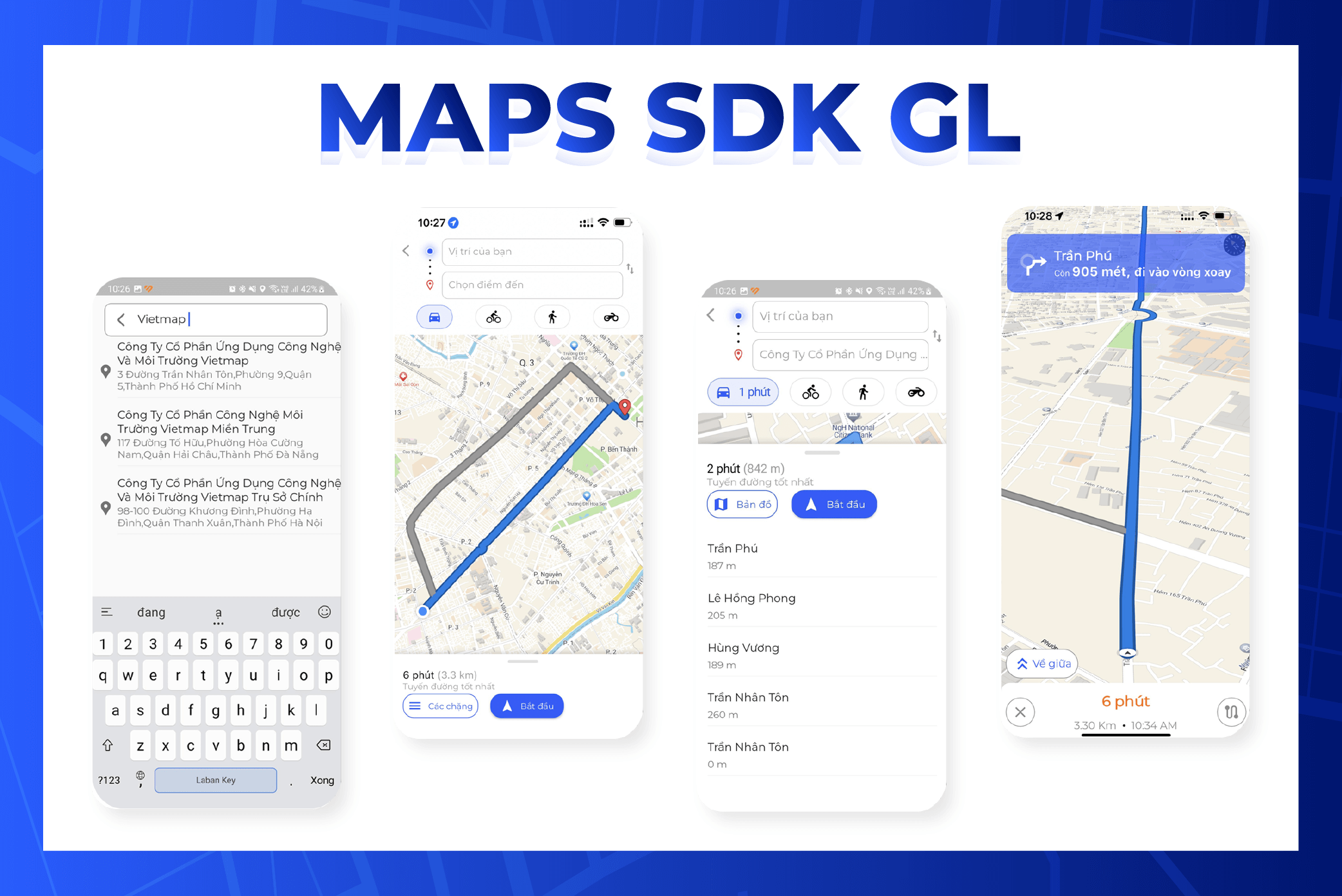
Hướng dẫn cài đặt
Mục lục
Cài SDK bản đồ iOS
1. Tạo dự án bằng Xcode
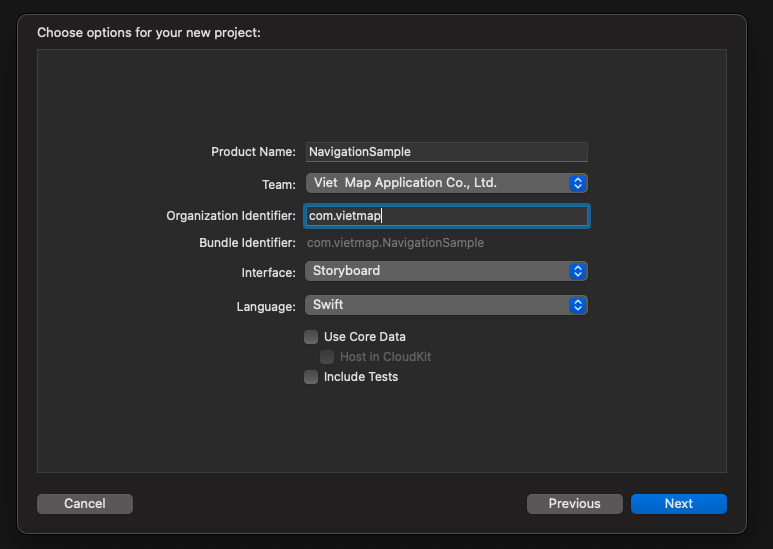
Tạo dự án dùng Swift và Storyboard: mở Xcode, chọn File > New > Project.
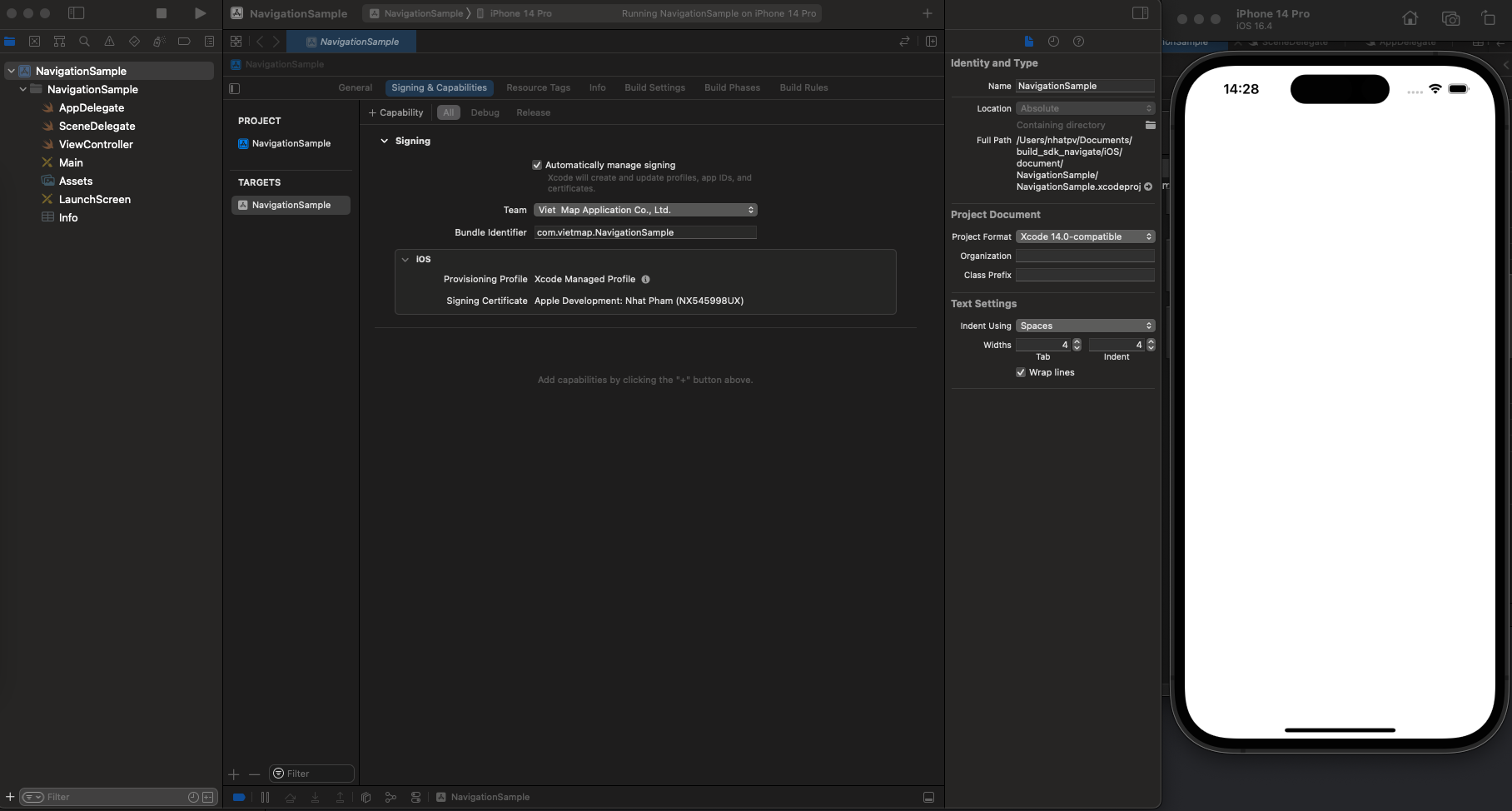
Chạy thử dự án. Nếu chạy được, bạn sẽ thấy giao diện như hình dưới.
2. Thêm thư viện
Chuẩn bị môi trường
Cài Homebrew Kiểm tra brew
Nếu chưa cài Homebrew, bạn sẽ thấy:Chưa cài Homebrew thì cài bằng lệnh:
Cài CocoaPods
Thêm thư viện bằng Podfile 1. Mở Terminal và chuyển vào thư mục dự án:
2. Trong thư mục dự án, chạy lệnh sau để tạo Podfile: 3. Mở Podfile và thêm nội dung sau: 4. Cài thư viện 5. Mở dự án bằng file.xcworkspace (bấm đúp)
3. Sự kiện
regionIsChangingWith: gọi khi vùng hiển thị của bản đồ đang thay đổi.didChange: gọi khi chế độ theo dõi vị trí người dùng thay đổi.mapViewDidFinishLoadingMap: gọi khi bản đồ đã tải và hiển thị xong.mapViewDidStopLocatingUser: gọi khi MGLMapView ngừng xác định vị trí người dùng.mapViewWillStartLoadingMap: gọi khi MGLMapView bắt đầu tải dữ liệu bản đồ.mapViewWillStartLocatingUser: gọi khi MGLMapView bắt đầu xác định vị trí người dùng.mapViewWillStartRenderingMap: gọi khi MGLMapView bắt đầu vẽ bản đồ.mapViewWillStartRenderingFrame: gọi khi MGLMapView bắt đầu vẽ một khung hình.didFinishLoading: gọi khi MGLMapView tải xong dữ liệu và giao diện bản đồ.didSelect: gọi khi một annotation trên bản đồ được chọn.didDeselect: gọi khi một annotation bị bỏ chọn.didSingleTapAt: gọi khi người dùng chạm một lần lên bản đồ.regionDidChangeAnimated: gọi khi vùng hiển thị đã thay đổi, kể cả khi người dùng kéo, phóng to thu nhỏ hoặc xoay bản đồ.regionWillChangeAnimated: gọi ngay trước khi vùng hiển thị thay đổi.mapViewDidFailLoadingMap: gọi khi tải bản đồ thất bại, kèm lỗi cụ thể.didUpdate: MGLUserLocation: gọi khi vị trí người dùng trên bản đồ được cập nhật.mapViewDidFinishRenderingMap: gọi khi bản đồ đã vẽ xong.mapViewDidBecomeIdle: gọi khi bản đồ xử lý xong mọi việc và chuyển sang trạng thái nghỉ.didFailToLocateUserWithError: gọi khi xác định vị trí người dùng bị lỗi.tapOnCalloutFor: gọi khi người dùng chạm vào callout của một annotation.mapViewDidFinishRenderingFrame: gọi sau khi một khung hình của bản đồ đã vẽ xong lên màn hình.shapeAnnotationIsEnabled: bật hoặc tắt tương tác với shape annotation; trả vềtruehoặcfalse.didAdd: MGLAnnotationView: gọi sau khi các MGLAnnotationView mới được thêm vào.didSelect: MGLAnnotationView: gọi khi một MGLAnnotationView được chọn.didDeselect: MGLAnnotationView: gọi khi một MGLAnnotationView bị bỏ chọn.alphaForShapeAnnotation: trả về độ trong suốt (alpha) của một MGLShape, từ 0.0 (trong suốt hoàn toàn) đến 1.0 (đặc).viewFor: MGLAnnotation: trả về MGLAnnotationView tùy chỉnh cho một MGLAnnotation.imageFor: MGLAnnotation: trả về MGLAnnotationImage tùy chỉnh cho một MGLAnnotation.annotationCanShowCallout: trả vềtruehoặcfalseđể quyết định một MGLAnnotation có hiện callout hay không.calloutViewFor: tạo và tùy chỉnh giao diện callout cho một MGLAnnotation.strokeColorForShapeAnnotation: trả về màu viền của một MGLShape (MGLPolyline, MGLPolygon).fillColorForPolygonAnnotation: trả về màu nền của một MGLPolygon.leftCalloutAccessoryViewFor: trả về UIView đặt bên trái callout của một MGLAnnotation.lineWidthForPolylineAnnotation: trả về độ dày nét của một MGLPolyline.rightCalloutAccessoryViewFor: trả về UIView đặt bên phải callout của một MGLAnnotation.calloutAccessoryControlTapped: gọi khi người dùng chạm vào accessory control trong callout của một MGLAnnotation.shouldChangeFrom: gọi khi camera sắp thay đổi; trả vềtruehoặcfalseđể cho phép hay chặn thay đổi đó.mapViewUserLocationAnchorPoint: trả về điểm neo của icon vị trí người dùng.didFailToLoadImage: gọi khi không tải được ảnh có tên đã cho.shouldRemoveStyleImage: gọi khi có yêu cầu gỡ một ảnh đang được style sử dụng.didChangeLocationManagerAuthorization: gọi khi quyền truy cập vị trí của ứng dụng thay đổi.styleForDefaultUserLocationAnnotationView: tùy chỉnh giao diện icon vị trí người dùng mặc định.
4. Build dự án
Ứng dụng cần quyền truy cập vị trí của thiết bị.
<key>NSLocationAlwaysAndWhenInUseUsageDescription</key>
<string>Get user location</string>
<key>NSLocationAlwaysUsageDescription</key>
<string>Get user location</string>
<key>NSLocationWhenInUseUsageDescription</key>
<string>Get user location</string>
<key>UIBackgroundModes</key>
<array>
    <string>audio</string>
    <string>location</string>
</array>
Code mẫu
import UIKit
import VietMap

class ViewController: UIViewController {
    var mapView: MGLMapView!
    var coordinates: [CLLocationCoordinate2D] = []
    override func viewDidAppear(_ animated: Bool) {
        super.viewDidAppear(animated)

        if #available(iOS 10.0, *) {
            UNUserNotificationCenter.current().requestAuthorization(options: [.badge, .alert, .sound]) { _,_ in
                DispatchQueue.main.async {
                    CLLocationManager().requestWhenInUseAuthorization()
                }
            }
        }
    }

    override func viewDidLoad() {
        super.viewDidLoad()
        startMapView()
        drawPolygon()
    }


    func startMapView() {
        mapView = MGLMapView(frame: view.bounds, styleURL: URL(string: "https://maps.vietmap.vn/api/maps/light/styles.json?apikey=YOUR_API_KEY_HERE"))
        mapView.autoresizingMask = [.flexibleWidth, .flexibleHeight]
        mapView.delegate = self
        mapView.userTrackingMode = .follow

        let singleTap = UILongPressGestureRecognizer(target: self, action: #selector(didLongPress(tap:)))
        mapView.gestureRecognizers?.filter({ $0 is UILongPressGestureRecognizer }).forEach(singleTap.require(toFail:))
        mapView.addGestureRecognizer(singleTap)
        view.addSubview(mapView)
    }

    func drawPolyline() {
        let polyline = MGLPolyline(coordinates: coordinates, count: UInt(coordinates.count))
        mapView.addAnnotation(polyline)
    }

    func drawPolygon() {
        let coordinates = [
            CLLocationCoordinate2D(latitude: 10.745863, longitude: 106.655122),
            CLLocationCoordinate2D(latitude: 10.753557, longitude: 106.649735),
            CLLocationCoordinate2D(latitude: 10.765662, longitude: 106.681285),
            CLLocationCoordinate2D(latitude: 10.750961, longitude: 106.683948)
        ]
        let polygon = MGLPolygon(coordinates: coordinates, count: UInt(coordinates.count))
        mapView.addAnnotation(polygon)
    }

    // MARK: Gesture Recognizer Handlers
    @objc func didLongPress(tap: UILongPressGestureRecognizer) {
        guard let mapView = mapView else { return }
        if (coordinates.isEmpty) {
            coordinates.append((mapView.userLocation?.location?.coordinate)!)
        }
        let point = mapView.convert(tap.location(in: mapView), toCoordinateFrom: mapView)
        let annotation = MGLPointAnnotation()
        annotation.coordinate = point
        annotation.title = "Point Here"
        coordinates.append(point)
        mapView.addAnnotation(annotation)
        drawPolyline()
    }
}

extension ViewController: MGLMapViewDelegate {
    func mapView(_ mapView: MGLMapView, imageFor annotation: MGLAnnotation) -> MGLAnnotationImage? {
        let image = UIImage(systemName: "car")!
        image.withTintColor(UIColor.red)
        let annotationImage = MGLAnnotationImage(image: image, reuseIdentifier: "customAnnotation")

        return annotationImage
    }

    func mapView(_ mapView: MGLMapView, annotationCanShowCallout annotation: MGLAnnotation) -> Bool {
        return true
    }

    func mapView(_ mapView: MGLMapView, leftCalloutAccessoryViewFor annotation: MGLAnnotation) -> UIView? {
        let imageView = UIImageView(image: UIImage(named: "leftAccessoryImage"))
        return imageView
    }

    func mapView(_ mapView: MGLMapView, rightCalloutAccessoryViewFor annotation: MGLAnnotation) -> UIView? {
        let button = UIButton(type: .detailDisclosure)
        return button
    }

    func mapView(_ mapView: MGLMapView, fillColorForPolygonAnnotation annotation: MGLPolygon) -> UIColor {
        return UIColor.red.withAlphaComponent(0.5)
    }
}
Muốn dùng màu và icon riêng, tạo bản đồ trong Map Editor rồi thay URL style ở trên bằng link style của bản đồ đó.