Traffic layer
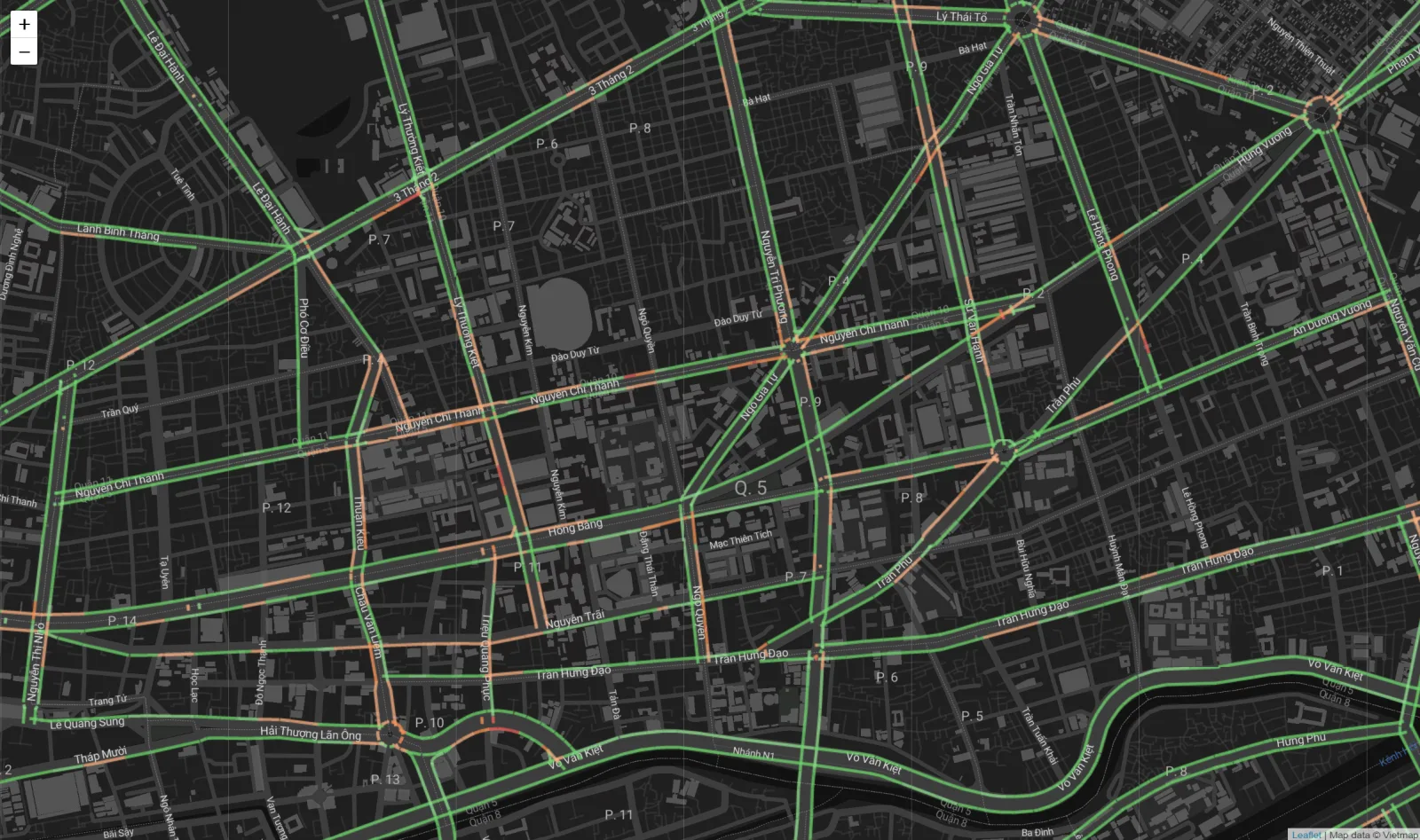
The traffic layer is a vector style that colors real-time congestion for each direction of travel. You merge its sources and layers into the GL base map you are already running — it does not replace the base map.
Preview it on the Live Map with the "Traffic" layer switched on, or open the map with traffic on the Playground.
For a map made in Map Editor, turn on Traffic in the editor instead of merging this layer in code.
URL
Method
GET
Merging it into a map
Fetch the style, then add each source and layer to the current map:
const APIKEY = '{your-apikey}';

async function addTraffic(map) {
  const tf = await fetch(
    `https://maps.vietmap.vn/maps/styles/tf/style.json?apikey=${APIKEY}`
  ).then((r) => r.json());

  for (const [id, source] of Object.entries(tf.sources)) {
    if (!map.getSource(id)) map.addSource(id, source);
  }
  for (const layer of tf.layers) {
    if (!map.getLayer(layer.id)) map.addLayer(layer);
  }
}

map.on('style.load', () => addTraffic(map));
Two common mistakes
Do not pass this URL to the SDK's style parameter — that replaces the base map and you lose every base layer.
Hook it to the style.load event rather than calling it once at startup: setStyle wipes every source and layer you added yourself, so switching base styles drops the traffic layer unless you re-add it.
What the style contains
The style holds exactly one source and four layers:
| Component | Value |
|---|---|
| Source | traffic — vector tiles, maxzoom 15 |
| Tiles | https://maps.vietmap.vn/maps/tiles/tf/{z}/{x}/{y}.pbf?apikey={your-apikey} |
| Source layer | jam |
| Layer | What it draws | Condition |
|---|---|---|
traffic-left |
One direction, colored from the lcolor property |
oneway <= 0 |
traffic-right |
The other direction, colored from rcolor |
oneway >= 0 |
traffic-border-left |
White casing on the left | oneway == 0 |
traffic-border-right |
White casing on the right | oneway == 0 |
Two-way roads draw two offset lines, one per direction, with a white casing. One-way roads draw a single line and no casing.
Colors and zoom range
Congestion color lives in the data, not in the style: every segment carries lcolor and rcolor, and the layers just read them with ["get", "lcolor"]. To use your own palette, override line-color on traffic-left and traffic-right after adding them.
All four layers set minzoom 10, so nothing renders below zoom 10. The source stops at maxzoom 15; deeper zooms overzoom the level-15 tiles.
Billing
This layer is delivered as vector tiles. See How Pricing Works for how tile loads convert into transactions.